YGOPlus · Independent software project

From a deck idea
to a testable game plan.

YGOPlus connects Yu-Gi-Oh! deck building, opening-hand probability analysis, and combo recording on interactive boards.

Explore the product walkthrough ↓

Open the full application ↗

Python / Flask · PostgreSQL · JavaScript
Built and deployed as a community tool, with AI-assisted development and hands-on product and UX work.

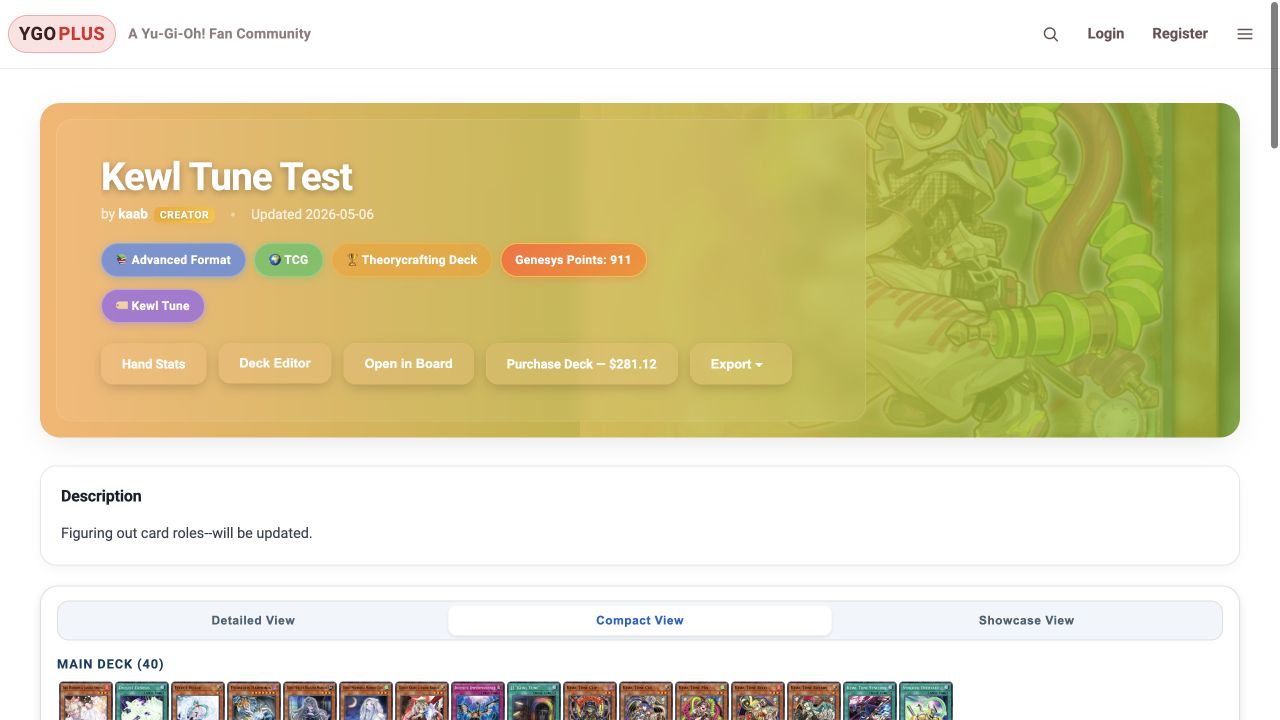
YGOPlus deck view displaying a 40-card example deck with card images and deck tools
A public example deck, captured October 2026.
FlaskPostgreSQLJavaScriptStripeCloudflare R2Gunicorn / Render
Inside YGOPlus

From an empty list to a saved endboard.

Build a list, explore its opening hands, and document a combo. Follow the original product workflow through five recorded demonstrations.

Recorded product demonstrations. Play any clip to explore that feature. Historical prices, membership labels, and interface wording may differ from the final release.

01

Build a deck

Choose cards and ratios, import an existing list, and organize the main, extra, and side decks.

Card-role tagging gives the same deck a structured input for hand analysis.

Recording description

Choose cards and ratios, import an existing list, and organize the main, extra, and side decks. The recording shows the corresponding interface and interactions in the full application.

02

Review the finished list

Keep the deck, notes, and related combo boards together in one saved view.

A shared deck provides context for the statistics and board sequences attached to it.

Recording description

Keep the deck, notes, and related combo boards together in one saved view. The recording shows the corresponding interface and interactions in the full application.

03

Explore opening hands

Tag starters, extenders, hand traps, and bricks; set the conditions an opening hand should meet.

Monte Carlo sampling evaluates selected hand conditions. Conditional roles let a card’s usefulness depend on what else is drawn; results estimate hand consistency, not game win rates.

Recording description

Tag starters, extenders, hand traps, and bricks; set the conditions an opening hand should meet. The recording shows the corresponding interface and interactions in the full application.

04

Turn a hand into a board

Move cards through the board manually to document a line and its resulting field.

Starting hands, zones, and recorded steps make the sequence inspectable. The board is a planning tool, not an automatic rules engine.

Recording description

Move cards through the board manually to document a line and its resulting field. The recording shows the corresponding interface and interactions in the full application.

05

Save and share the line

Revisit the board with its starting hand and notes, or share the sequence with other players.

Deck relationships, visibility controls, and replay connect an illustrated line to its original context.

Recording description

Revisit the board with its starting hand and notes, or share the sequence with other players. The recording shows the corresponding interface and interactions in the full application.

Finding useful examples

Search for the list—or the situation.

Discovery goes beyond card names: the site connects imported deck lists with saved boards, opening hands, and opponent disruption.

Beyond the screenshots

Connected tools with meaningful depth.

The work extended beyond displaying cards: deck data, probability conditions, board sequences, and account permissions had to agree across the application.

Decks as structured data

Decks separate main, extra, and side cards, track quantities, and support import/export and card-role tagging. Those same saved lists feed the analysis and board workflows, so users can work from a consistent starting point.

Monte Carlo hand analysis

For more involved opening-hand conditions, the application repeatedly samples hands and evaluates combinations of card roles and specific cards. This estimates the chance of drawing a usable combination under the player's chosen constraints, rather than predicting the winner of a game.

Higher trial budgets reduce sampling noise but consume more server time. The implementation separates preview and higher-precision runs, with account allowances and concurrency controls to keep expensive requests from overwhelming the site.

Combo boards and replay

Boards connect a deck to starting hands, opponent cards, zones, and recorded steps. Players can document a sequence, replay it, and find saved boards. The challenge is preserving a coherent sequence of state changes while keeping the board usable as a visual planning tool.

Saved content and service boundaries

Public, unlisted, and private content require access checks alongside sharing and account workflows. Marketplace data adds caching and fallback behavior; subscriptions add checkout, webhook, and portal state. Each integration brings failure cases beyond the main interface.
Engineering decisions

Useful features within a small operating budget.

The application also became a practical exercise in controlling resource use, keeping billing state consistent, and measuring improvements.

19.7%

Lower local search-index memory

Removed unused nested card data from the in-memory search index. In three isolated Python 3.13 runs, median RSS fell from 186.53 to 149.75 MiB. A comparison checked 15,220 responses for unchanged output.

Measured locally for this component; not a claim about total production memory or hosting savings.

96.4%

Smaller showcase video assets

Converted seven original recordings from about 217.3 MiB to 7.8 MiB. Replaced automatic playback with lazy posters and click-to-play videos, allowing only one to play at a time.

Asset-size reduction; actual bandwidth savings depend on visitor behavior.

Compute limits across workers

Used database-backed allowances and a PostgreSQL advisory lock to coordinate simulation work across application workers. Free and Supporter accounts have different budgets, while repeated or concurrent requests are constrained.

Consistent subscription state

Integrated Stripe Checkout, webhooks, and the customer portal, with duplicate-checkout protection and subscription-state checks. Tested purchase and cancellation paths in Stripe test mode.

Application architectureBrowser interface → Flask routes and authorization → PostgreSQL for saved content, billing records, and resource controls.
Card images live in Cloudflare R2. Stripe provides checkout and subscription management. Gunicorn serves the application on Render.
Project reflection

What shipping the product taught me.

YGOPlus grew from a personal interest into a deployed community application. Maintaining it made operating costs and the scope of ongoing work part of the product decisions. This case study preserves a demonstration independently of the application hosting.

The strongest lessons were in connecting a complete user workflow, maintaining a deployed application, and balancing feature depth against infrastructure costs. A future version would validate one narrow user need before expanding the feature set.

This case study preserves the product demonstration without requiring an application account, a payment integration, or a running database.

Read the technical project overview ↗